
Instrument Expert
Original factory packaging

Service Hotline:
(+86)010-52867771
Instrument Expert
Original factory packaging
Service Hotline:
(+86)010-52867771
Updated:2025-03-25
Views:3799
 WeChat
 QQ
QQ
 Online Service
 Datasheet(CN) Datasheet(EN) User's Manual PC-Gentec-EO User's Manual Maestro Firmware update procedure
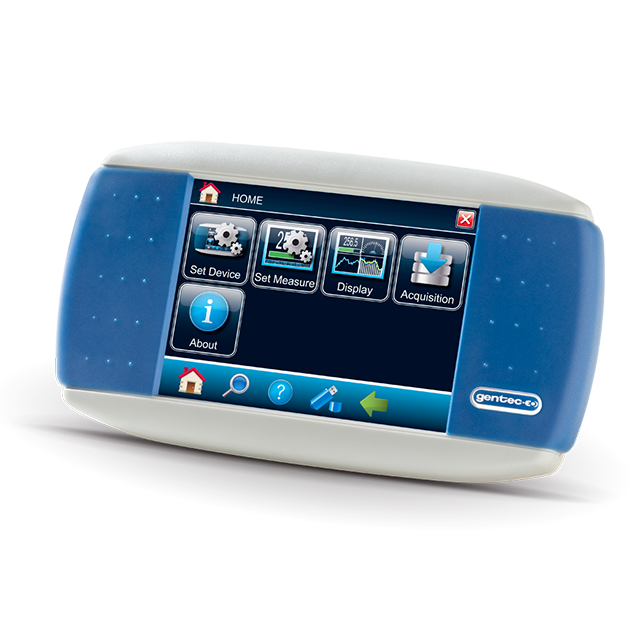
Gentec-EO MAESTRO Touchscreen display device for power & energy measurement. Single-channel, multiple outputs (USB, Ethernet, analog).
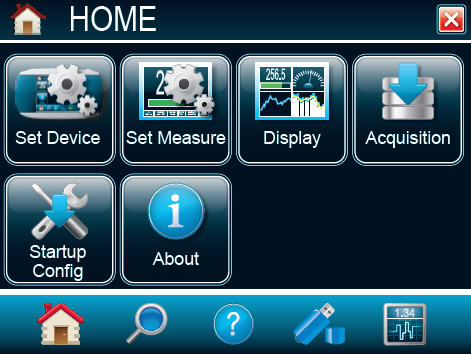
HOME
Set device: set all the parameters related to your MAESTRO device.
Set measure: set all the parameters related to your sensor.
Display: set the device in dual or full screen display mode and choose the display(s) you want.
Acquisition: set all your acquisition parameters (time, sample rate, etc.).
Startup config: choose how your MAESTRO will remember your sensor settings at startup.
About: view the main parameters and update your MAESTRO.
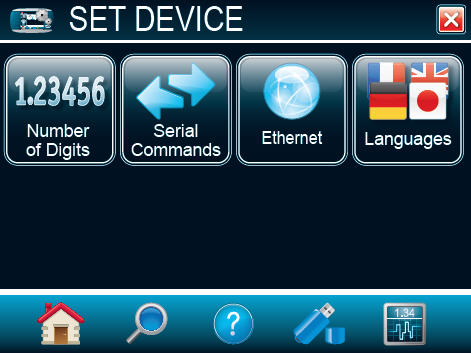
SET DEVICE
Use the elements in this menu to set the parameters related to your MAESTRO:
Number of digits: use this menu to set the precision of the measurement.
Serial commands: set compatibility with SOLO2 and use the RS-232, USB and analog outputs
Ethernet: configure the Ethernet communication protocol.
Languages: select the display language: English, German, Japanese or French (firmware V1.04.02 or higher)
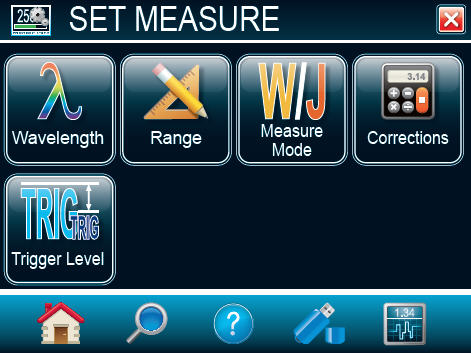
SET MEASURE
Use the elements in this menu to set everything related to your measurements:
Wavelength: select one of the standard wavelengths offered, enter a custom value and create your own list of standard wavelengths.
Range: set the measuring range to autoscale or a fixed scale.
Measure mode: use this menu to decide what type of measurements will be displayed: average power, single shot energy, pulse-to-pulse energy, etc.
Corrections: enter multipliers and offsets.
Trigger level: set the trigger level in 0.1% steps, from 0.1% and 99.9%.
DUAL SCREEN DISPLAY
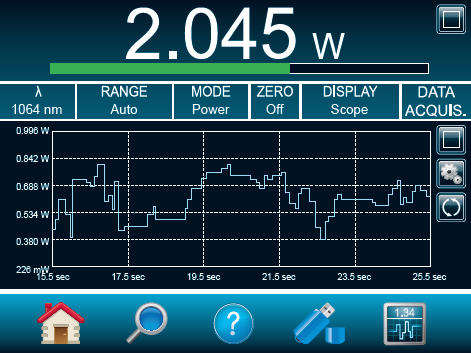
With the dual screen mode, the MAESTRO really takes full advantage of its extra-large screen! Any display mode can be used in both single or dual display mode. In dual display mode, the real time display takes the upper portion of the screen, while any of the other displays (scope, needle, averaging or statistics) is set on the lower portion. The display in the lower portion can be easily changed using the parameters bar with drop-down menus in the center of the screen. You can also expand one of the displays to have it in full screen mode using the maximize button. Just as easily, you can go back to Dual Screen display by using the minimize button.
REAL TIME DISPLAY
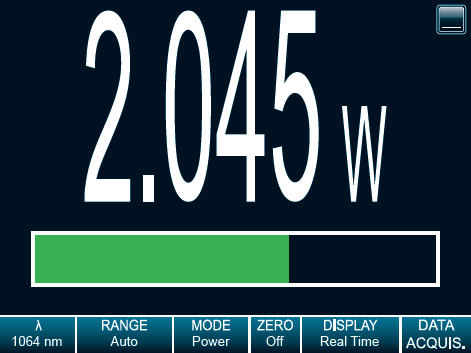
This display shows the measured value in real time, with a corresponding bar graph below. The large size of the digits and high contrast of the graphics allow to see the measurement from a good distance. This mode is also always present in dual screen mode, in the upper portion of the screen.
Very large digits
Bar graph
SCOPE DISPLAY
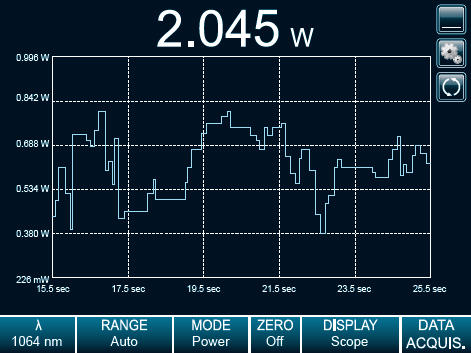
With its line filling from the right of the screen, in a first-in/first-out manner, this display mode is a good approximation of an actual oscilloscope reading. Settings include time (x-axis) and range (y-axis). Basic statistics can also be displayed directly on the screen.
Oscilloscope-type graph
On-screen, real time statistics (min, max and average)
Fully customizable x and y axis
NEEDLE DISPLAY
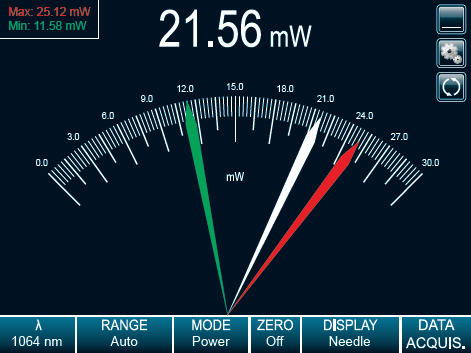
Exactly like an analog needle, only faster! This mode is particularly useful when tuning a laser. The real time value is also displayed at the top of the screen.
Ultra-fast readings
Great for tuning
Real time value at the top of the screen
Min and max values hold
AVERAGING DISPLAY
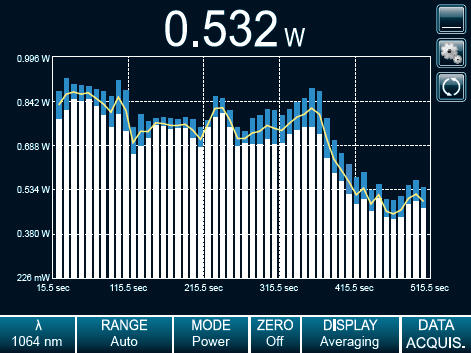
This very unique mode is perfect to show the trend of a laser over time. Set the number of points per batch and let the MAESTRO identify the minimum and maximum values of every batch. A yellow curve then follows the average of each batch, displayed as bars on the screen. The wider the difference between the white and blue portions of a bar (corresponding to the min and max values), the more unstable your laser is.
Calculates the min, max and average values of batches of measurements
Perfect to check laser stability over time
Use it with our included PC-Gentec-EO software
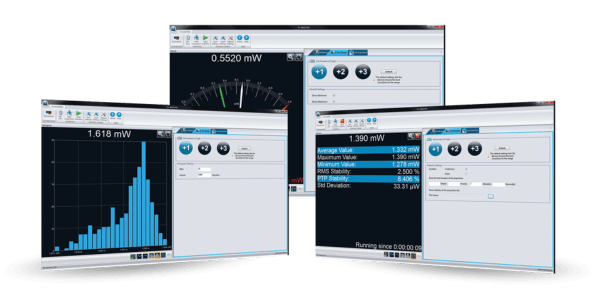
Read your measurements directly on your PC thanks to our free proprietary software PC-Gentec-EO. The software supports the following product series: P-LINK, HP, INTEGRA, U-LINK, and MAESTRO.
Practical displays: real-time, scope, needle, averaging, histogram, and statistics
Useful features such as data logging and correction factors
Many statistics available: current value, average value, maximum value, minimum value, RMS stability, PTP stability, repetition rate, average power, and STD deviation
Leverage serial commands
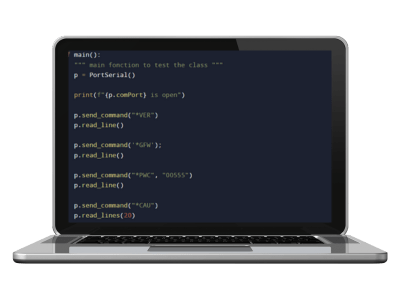
Use our serial commands to communicate directly with the meter without using Gentec-EO's software. You can do so using a terminal emulator software, like PuTTY, or you can just integrate them directly into your own software. All essential functions of the meter are covered by a command. Refer to the user manual of the meter for the list of all commands available.
Build your own software
Suit your unique laser application requirements
Automate your measurements
Key features
Reads ALL Heads
Power: thermopiles, photo detectors and pyroelectrics
Energy: thermopiles (in single shot mode) , photo detectors and pyroelectrics
Large TOUCH SCREEN Color LCD Display
5.6in diagonal
640 x 480 resolution
18bit color
Fully touch screen controls
Multiple Languages Available
Interface fully translated in English, French, German and Japanese
Unique Ergonomic Design
Single or dual graph display
Instant access to the main functions
Function Search tool
USB Key Access
Store data directly on a USB key
Real-Time Statistical Functions
Max, min, average, standard deviation, RMS and PTP stability, pulse # and repetition rate
Available Outputs
USB key, analog output, RS-232, PC-USB, Ethernet
Specifications
| Controller and GUI specifications | |
| Interface languages | English, German, French and Japanese |
| Digital display size | 112.9 x 84.7 mm LCD - 640 x 480 pixels |
| Data display | Real time, scope, statistics, digital tuning needle and averaging |
| Analog output | 0-1 V, full scale, ±0.5 % |
| External trigger | TTL Compatible, 2-25 V @ 0.4 mA |
| Serial commands via | USB, Ethernet or RS-232 (cable in option) |
| Data storage via | USB key |
| Battery type | 4 x Rechargeable 1.2 V Ni-MH AA |
| Battery life | 6.5 hours |
| External power supply | 9 VDC 1.66 A |
| Power meter specifications | |
| Power range | 4 pW - 30 kW |
| Digital resolution | Digital Resolution PMS |
| Device accuracy | 0.25 % ±5 μV best scale |
| Statistics | Current value, max, min, average, standard deviation, RMS & PTP stability, time |
| Response time | Current value, max, min, average, standard deviation, RMS & PTP stability, time |
| Energy meter specifications | |
| Energy range | 2 fJ to 30 kJ |
| Digital resolution | Digital Resolution EMS |
| Device accuracy | ±1 % |
| Software trigger level | 0.1 to 99.9 %, 0.1 % resolution, default 2 % |
| Repetition rate | 2 000 Hz / 10 000 Hz in sampling |
| Real-time data transfer | 2 000 Hz |
| Statistics | Current value, max, min, average, standard deviation, RMS & PTP stability, pulse #, repetition rate and average power |
| Physical characteristics | |
| Dimensions | 210W x 122H x 45D mm |
| Weight | 0.67 kg |
Customer Service QQ
Customer Hotline:
Technical Supports


 3003988120
 yiqi.com
 bio-equip.com
 b2bwork.baidu.com
 baidu.com